


Should I Answer?
4.08.87K Reviews
App Specs
- Version
- 1.9.276
- Updated On
- License
- Free
- Downloads
- 1,000,000+
- Developer
- Mister Group s.r.o.
- Categories
- Communication
- Platform
- Android
Screenshots
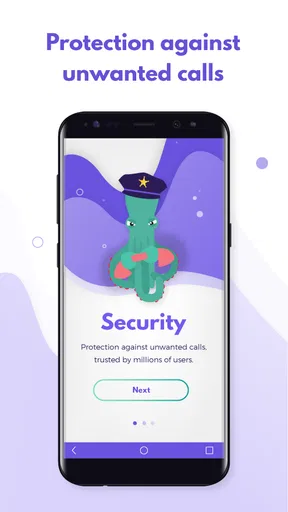
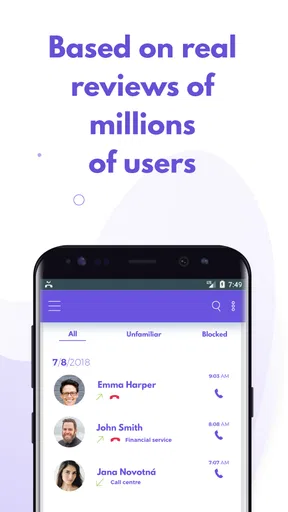
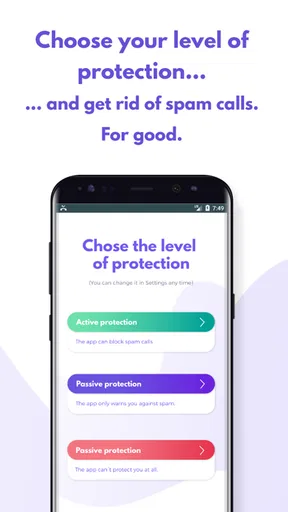
 Analysis by AppCompare
Have you ever found yourself staring at your phone, wondering if you should pick up that unknown call? If so, you're not alone. Enter Should I Answer, an app that swoops in like a superhero to save your day. Let's dive into what makes this app a must-have for anyone tired of dodging unwanted calls.
What to weigh before installing a call-screening app
Before I rely on any call filter, I ask what I want it to do: identify suspicious callers, block interruptions, or simply help me decide whether to answer. Those are related jobs, but they are not identical. A warning can be more useful than an automatic block when I am waiting for a delivery, a new client, or a callback from a clinic and cannot afford to miss a number I do not recognize.
I also consider how much control I want. Strong filters can reduce nuisance calls, but rules that are too broad may silence legitimate calls from unfamiliar numbers. My practical preference is to start cautiously, observe which calls are being flagged, and only then decide whether to block particular groups. That approach matters especially for people who use their phone for work or are expecting important calls from outside their contacts.
The Guardian Angel of Call Screening
First off, Should I Answer is a free app that acts like a vigilant guardian against those pesky spam and telemarketing calls. It's available on both Android and iOS, making it accessible to nearly everyone. The app works by tapping into a vast database of user-reported numbers, giving you the lowdown on who's trying to reach you before you even pick up.
Easy Setup and Intuitive Interface
Setting up the app is a breeze. Once you've downloaded it from your app store of choice, you’ll be guided through a simple setup process. The interface is clean and intuitive, so you won't find yourself lost in a maze of settings. It's refreshing to use an app that gets right to the point without unnecessary fluff.
After setup, the app runs quietly in the background, only popping up when a call comes in. You'll see a straightforward green or red icon indicating whether a call is safe to answer or not. It's like having a trusty friend by your side, giving you the thumbs up or down.
Where community reporting helps—and where it can lag
One of the standout features of Should I Answer is its community-driven database. Users contribute by reporting spam numbers, which means the database is constantly updated with the latest threats. This collective effort ensures that you're getting real-time protection against the newest scams out there.
Worth Reading Before You Choose

EA SPORTS FC Mobile 26 Is a Bigger Football Game, but It Takes Time

Flipboard Shows What News Apps Must Do Beyond the Feed

Switching to Android Auto Means Rethinking Your Driving Routine

Google Calendar Makes a Crowded Week Easier to Manage

Ludo King Makes the Most of the Minutes Between Plans

Baby Panda World Brings Quick Play to Modern Phones, but Its Game Library Feels Busy
You can also contribute by adding your own reports. If you encounter a new spam number, just log it in the app to warn others. It’s a nice way to give back and help your fellow users.
There is a trade-off to this shared approach: a number can only be recognized once enough useful information about it is available to the service. Reports are helpful signals, not proof that every call from a number is malicious. I would treat the warning as a reason to pause and judge the context, rather than as a guarantee about the caller’s identity. For a small business that reuses one outgoing number for customer callbacks, that caution is particularly important.
A useful habit is to report a call when you have a clear reason to believe it was unwanted, rather than simply because you did not recognize the number. That keeps community feedback more meaningful for everyone. If the call seems legitimate, saving the number in your contacts can also make future decisions easier, without changing how the app evaluates other unfamiliar callers.
Privacy and Customization
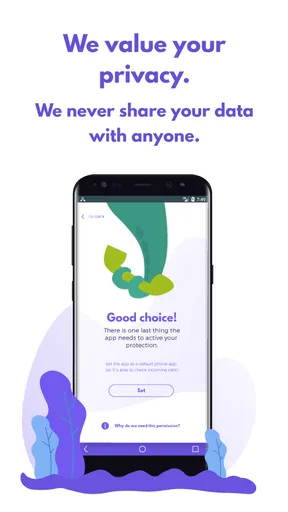
Privacy is a big deal these days, and Should I Answer respects that. The app doesn’t upload your contact list or personal data, so you can enjoy peace of mind knowing your information stays private.
Customization options are robust, allowing you to tailor the app to your needs. You can choose to block calls from hidden numbers, specific countries, or even set your own rules for unknown numbers. It's all about giving you control over who gets to interrupt your day.
Those controls are most useful when I match them to a real pattern, not when I turn everything on at once. For example, blocking hidden callers may suit someone who never expects anonymous calls, while it may be a poor fit for a person who receives legitimate calls through a switchboard. Country-based blocking can be similarly blunt: it can cut down unwanted calls, but it may also catch a genuine overseas contact. I would change one rule at a time and keep the option to reverse it if an expected call does not get through.
It is also worth separating caller identification from blocking. Identification helps me make a decision; blocking removes some of the decision from the moment. If I am job-hunting, arranging appointments, or dealing with a service provider, I would keep the settings conservative and let the warning guide me. If I am being repeatedly interrupted by a known pattern of nuisance calls, firmer rules make more sense.
Offline Mode
A neat feature that deserves a mention is the offline mode. Even when you’re not connected to the internet, the app can still screen calls using its locally stored database. This is perfect for those moments when you’re off the grid but still want to avoid unwanted calls.
The practical detail is that offline screening depends on what is already stored on the phone. It can be handy during a commute through patchy coverage or while travelling, but it cannot draw on newly shared reports until a connection is available again. I would refresh the local information when I have a reliable connection, especially before a trip, rather than assume the offline view is as current as an online one.
A normal day with the app, and the choices it changes
Imagine I am expecting a callback from a repair service but also getting repeated calls from unfamiliar numbers. With a filter in place, I can glance at the caller indication instead of reflexively rejecting every unknown number. If the call looks suspicious, I can let it pass; if it appears safe or fits the timing of the callback, I can answer. That is a more useful outcome than treating every unknown caller as either harmless or automatically blocked.
This makes the app a good fit for people who receive frequent nuisance calls but still need to stay reachable. It can also help a family member who is unsure about answering unfamiliar numbers, provided they understand that a label is guidance rather than a substitute for common sense. On the other hand, someone who receives almost no unwanted calls may find that a built-in phone feature or a simple manual block list is enough, with less to configure.
Compared with a carrier’s call controls or the blocking tools already built into a phone, this app’s clearest distinction is its shared reporting approach and the ability to shape rules around unfamiliar calls. Built-in tools may be the better choice if a person wants the fewest moving parts or already gets enough screening from their phone service. A dedicated filtering app is more appealing when community classifications and adjustable blocking are the parts missing from that basic setup. I would avoid running several filters with overlapping rules until I understand which one is handling a call, since duplicated blocking can make it harder to work out why a legitimate caller did not reach me.
Real-Life Usage
Now, let's talk about how this app performs in the real world. During my testing, it accurately flagged every spam call that came through. Legitimate calls showed up with a green icon, and I was able to answer without hesitation. It's a relief to know I can finally answer calls without playing a game of roulette.
One thing to note is that while the app is excellent at flagging spam, it relies on users to keep the database current. This means there might be a slight delay in identifying new spam numbers. However, the community is quite active, so these gaps are usually filled quickly.
For anyone deciding whether to try it, the basic choice is straightforward: the app is free to install, though it offers in-app purchases priced from $1.99 to $9.99 per item. It is rated for Everyone, and Mister Group s.r.o. develops it as a communication app. Its average rating is 3.9 from around 94,000 ratings, with roughly 8,800 written reviews, and it has passed one million installs. The current version is 1.8.273, released on December 6, 2018, and it requires Android 10 or later. That gives Android users a clear compatibility check before they begin; anyone on another platform should check the relevant app-store page for their device’s requirements.
The price structure also affects who should try it. Since the app is free to install, I can test whether its alerts and rules suit my routine before considering any optional purchase. I would not pay simply because I receive a few unknown calls; first I would see whether the free experience solves the problem. If my main goal is to stop all interruptions, though, no screening tool can replace careful settings and a willingness to review blocked-call decisions when an important contact might be involved.
Changing filters without losing track of calls
Switching from another blocker is less about moving data and more about changing habits. Before I replace an existing setup, I would note which callers or categories it blocks and whether I depend on any exceptions. Then I would enable the new app’s screening in a restrained way, make a few test calls with someone I know, and check how the phone presents the result. This is a practical way to catch confusion between a warning and a blocked call before relying on it during a busy day.
If the app is not helping, I would first loosen the rule that is most likely to catch legitimate callers, rather than uninstalling in frustration. If a number was blocked unexpectedly, reviewing the app’s settings and the phone’s own call controls can help identify which layer caused it. That small troubleshooting step is especially useful when more than one filtering system is active.
Who should choose it—and who should pass
I would recommend Should I Answer to someone who regularly has to judge unfamiliar calls and wants a community-informed warning before deciding what to do. It is particularly appealing if the person values configurable rules and appreciates being able to contribute reports that may help other users. The app is less compelling for someone who rarely receives spam, dislikes changing call settings, or cannot risk missing calls from numbers outside their contacts.
For the latter group, the phone’s existing options or a carrier’s own screening may be a cleaner fit. For someone who wants a more deliberate middle ground—neither answering every unknown caller nor blocking all of them—the app’s alerts and adjustable controls offer a useful way to make that decision with more context.
Final Thoughts
Overall, Should I Answer is a powerhouse of an app for anyone frustrated with spam calls. Its community-driven approach, ease of use, and respect for privacy make it a standout choice in the crowded field of call-blocking apps. Whether you’re always on the go or just want some peace and quiet, this app has got your back.
So, the next time you see an unknown number flashing on your screen, just relax and let Should I Answer do its thing. You'll wonder how you ever managed without it.
Pros
- Comprehensive database of spam numbers.
- Works offline to block unknown calls.
- User-friendly interface with simple navigation.
- Customizable settings for call blocking.
- Free version available with core features.
Cons
- Limited features without paid upgrade.
- May block legitimate calls by mistake.
- Occasional delay in call identification.
- Ads present in the free version.
- Cannot block SMS messages.
FAQs for Should I Answer?
What is the primary function of the 'Should I Answer?' app?
The 'Should I Answer?' app is designed to protect users from unwanted calls by providing detailed information about incoming numbers. It uses a community-driven database to identify and block spam, telemarketing, and fraudulent calls. This helps users decide whether to accept or decline calls from unknown numbers.
How does 'Should I Answer?' maintain its database of numbers?
The app's database is maintained through user contributions. When users receive calls, they can rate and comment on the numbers, which helps build a comprehensive database of known spam and telemarketing numbers. This collective input ensures that the information is up-to-date and reliable for all users.
Does 'Should I Answer?' require an internet connection to function?
While the app can function offline using its locally stored database, an internet connection is necessary to update the database and access the most current information. Updates ensure that new spam numbers and scams are promptly identified and blocked, providing ongoing protection to users.
Is my personal data safe with 'Should I Answer?' app?
Yes, the 'Should I Answer?' app is designed with user privacy in mind. It does not upload contact lists or personal data to its servers. The app operates locally on your device, ensuring that your information remains secure and confidential, aligning with privacy standards.
Can 'Should I Answer?' block SMS messages as well as calls?
The primary function of 'Should I Answer?' is to block unwanted calls. However, it does not inherently block SMS messages. Users looking for SMS blocking may need to pair the app with additional software designed specifically for handling unwanted text messages.


